|
 |
 |
 |
|
|
Home | More Articles | Join as a Member! | Post Your Job - Free! | All Translation Agencies | |
|
|||||||
|
|
|
|
Macintosh hardware
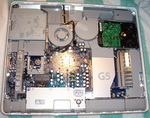
Processor architectureThe original Macintosh used a Motorola 68000, a 16/32-bit (32-bit internal) CISC processor that ran at 8 MHz. The Macintosh Portable and PowerBook 100 both used a 16 MHz version. The Macintosh II featured a full 32-bit Motorola 68020 processor, but the Mac ROMs at the time contained software that only supported 24-bit memory addressing, therefore using only a fraction of the chip's memory addressing capabilities unless a software patch was applied. Macs with this limitation were referred to as not being “32-bit clean.” The successor Macintosh IIx introduced the Motorola 68030 processor, which added a memory management unit. The 68030 did not have a built-in floating point unit (FPU); thus, '030-based Macintoshes incorporated a separate unit—either the 68881 or 68882. Lower-cost models did without, although they incorporated an FPU socket, should the user decide to add one as an option. The first “32-bit clean” Macintosh that could use 32-bit memory addressing without a software patch was the IIci. In 1991, Apple released the first computers containing the Motorola 68040 processor, which contained the floating point unit in the main processor. Again, lower-cost models did not have FPUs, being based on the cut-down Motorola 68LC040 instead. After 1994 Apple used the PowerPC line of processors, starting with the PowerPC 601, which were later upgraded to the 603 and 603e and 604, 604e, and 604ev. In 1997, Apple introduced its first computer based on the significantly upgraded PowerPC G3 processor; this was followed in 1999 with the PowerPC G4. The last generation of PowerPC processor to be introduced was the 64-bit PowerPC 970FX ("G5"), introduced in 2003. During the transition to the PowerPC, Apple’s “Cognac” team wrote a 68030-to-PowerPC emulator that booted very early in OS loading. Initially the emulation was very slow, but later versions used a dynamic recompilation emulator which boosted performance by caching frequently used sections of translated code. The first version of the OS to ship with the earliest PowerPC systems was estimated to run 95% emulated. Later versions of the operating system increased the percentage of PowerPC native code until OS X brought it to 100% native. The PowerPC 604 processor introduced symmetric multiprocessing (SMP) to the Macintosh platform, with dual PowerPC 604e-equipped Power Macintosh 9500 and 9600 models. The G3 processor was not SMP-capable, but the G4 and G5 were, and Apple introduced many dual-CPU G4 and G5 Power Macs. The top of the range Power Macintosh G5 uses up to two dual core processors, for a total of four cores. On June 6, 2005, Steve Jobs announced that the company would begin transitioning the Macintosh line from PowerPC to Intel microprocessors (the transition was completed on August 7, 2006) and demonstrated a version of Mac OS X running on a computer powered by an Intel Pentium 4 CPU. Intel-powered Macs are able to run Macintosh software compiled for PowerPC processors using a dynamic translation system known as “Rosetta.” The first Macs with Intel processors were the iMac and the 15-inch MacBook Pro, both announced at the Macworld Conference and Expo in January 2006. Throughout the year the Mac mini was transitioned to the Intel architecture, with users having choice of either Core Solo or Core Duo CPUs. The iBook product line was phased out by the MacBook and on August 7, 2006, the Power Mac G5 was discontinued in favor of the Mac Pro, based on the new Intel Xeon "Woodcrest". The Xserve was also transitioned to an Intel Xeon "Woodcrest". In the second half of 2006 Apple launched new iMac and MacBook lines using the Core 2 Duo processor. Expandability and connectivityApple detractors have always criticized the fact that Macs cannot be upgraded, as can most PCs. While most PC's use an ATX-formfactor logic board, power supply, and case, Apple has eschewed the popular standards as to give their design team maximum flexibility. However, Apple does use Intel processors, as well as industry-standard memory, drives, and peripherals. Historically, Macs were not designed to be taken apart. Ever since the original closed-box Macintosh in 1984, Apple has always preferred that upgrades take place outside the case. While PC users would open up their computer to install a second hard drive, Mac users would simply plug an external hard drive into their computer; this adds slight cost, but is easier for the average user to perform. Due to the Macs' unique designs, most tasks that involve opening the computer are relegated to Apple-certified technicians; otherwise, the machine's warranty is null and void. However, Apple towers (such as the Mac Pro) allow the user access to all of the system's internals, and in these models, Apple has no problem with users adding or replacing common items such as memory, drives, or expansion cards. Internal slotsThe earliest form of internal Macintosh expandability was the Processor Direct Slot (PDS), present from the SE onwards. It was basically a shortcut to the CPU socket, not a bus—which also meant that parts for the PDS slot were tied to a specific Macintosh model, with the notable exception of the LC PDS slot, which was standardized across the entire LC line. The PDS slot could be used for processor upgrades, Ethernet cards, the Apple IIe Card, or video cards. The last line of Macintoshes to have PDS slots was the first generation of the Power Macs. The first Macintosh to feature a bus for expansion was the Macintosh II, in the form of six NuBus (parallel 32-bit bus) slots. The NuBus was abandoned in favor of PCI in the second-generation Power Macs, and the G4 introduced 64-bit PCI slots as well as an AGP slot for video cards. The Power Mac G5 quickly introduced PCI-X slots, which were short-lived, as the final G5's and the Mac Pro use PCI Express for graphics and expansion. Out of the current models (as of August 2007), only the Mac Pro and Xserve feature PCIe slots and standard hard drive bays for easy upgradability. The PCIe slots allow addition of (for example) RAID controllers, video cards, or specialty audio cards. The MacBook Pro features a PCIe slot, in the form of a single ExpressCard/34 slot. ProcessorsThe Mac mini, iMac and Mac Pro all feature upgradeable Intel processors,[1] although Apple does not officially support this. The Power Mac G3, as well as the very first Power Mac G4, had a socketed processor which could be upgraded. From then on, the Power Macs had their processor(s) on a daughtercard. All other Macs, including the Mac mini, most iMacs, and all of Apple's notebooks, have the processor permanently soldered to the logic board. Nevertheless, this did not stop companies such as Daystar and Sonnet from marketing processor upgrades for almost every system. MemoryFor memory, Apple has used standard SIMM's (30 and 72-pin), proprietary 168-pin DIMMs, and later, industry-standard SDRAM and DDR. Current Macs use regular DDR2, and Fully Buffered DIMM's for the Mac Pro and Xserve. All current Macs, save for the Mac mini and MacBook Air, allow the user to upgrade the memory via an access door or removable panel. DisksThe earliest Macintoshes used a proprietary serial port (a 19-pin D-subminiature connector) for external floppy or hard drives, until SCSI was introduced with the Macintosh Plus. SCSI remained the Macintosh drive medium of choice until the mid-1990s, when less expensive ATA drives were introduced, first on budget models, then across the whole range. Current Macs use Serial ATA for internal hard drives, ATA for internal optical drives, and FireWire or USB 2.0 for external drives. Only the Power Macs, Mac Pros, Xserves, and MacBook have user-accessible drive bays to allow one or more hard drives to be installed internally. All other machines have one dedicated space for one hard drive. All Macs have one optical drive, except the Mac Pro, which can optionally include two. Mac OS X, understands the Mac OS Standard and Mac OS Extended file systems. It is also capable of using disks formatted with Windows's FAT or NTFS file systems, as well as the Unix File System. Currently, Mac OS X Leopard betas have read-only support for ZFS, while paid members of Apple Developer Connection get access to an in-development read-write ZFS driver. PeripheralsThe very first Macs (the Macintosh and the Macintosh 512K) used proprietary connectors for the keyboard and mouse. The Apple Desktop Bus was introduced with the Macintosh II and Macintosh SE. It was the standard input connector for keyboards and mice until USB was introduced with the iMac. The last Macintosh to have ADB was the Power Macintosh G3 (Blue & White), alongside the now-standard USB. Until February 2005, the PowerBook G4 and iBook G4 notebooks still used the ADB protocol to communicate with their built-in keyboards and trackpads, however they did not include any external ADB connectors. The majority of Mac computers have historically shipped with a single-button mouse. This changed in August 2005,[2] when Apple released the four-button Mighty Mouse (a wireless version was made available on July 25, 2006) and began to ship it with new desktop Macs. Starting with a new iMac G5 released in October 2005,[3] Apple started to include built-in iSight cameras to appropriate models, and a media center interface called Front Row that can be operated by remote control for accessing media stored on the computer. Other legacy Macintosh peripheral connectors include the RS-432 serial ports, the GeoPort, and the AAUI port for networking. Since 2006, portable Macintoshes have used the MagSafe connection for their power cords. The cable attaches to the computer magnetically, rather than mechanically, so an unexpected yank on the cord will merely disconnect the cable, rather than send the delicate laptop flying. NetworkingEarly Macs used the built-in serial ports for LocalTalk, which set up a fast (at the time) network between two machines. Later, an AAUI port was added. Eventually, Ethernet replaced everything, and emerged as the standard for networking not just Macs, but all computers. Fibre Channel adapters are also available for the Mac Pro and the Xserve. Apple introduced 802.11 wireless networking in 1999, with AirPort technology built into the iBook. Three years later, it was refined into the 802.11g-compatible AirPort Extreme. All current Macs, except for the Mac mini, have 802.11n-capable AirPort Extreme cards. All Macs with FireWire support IP over 1394, which allows for two machines to create a high-speed network with only a single cable. VideoFor connecting displays, Apple used a DA-15 connector on all models prior to the Blue and White Power Mac G3, which used a VGA connector. The original AGP-based Power Mac G4 used VGA, complemented by a DVI port; almost all later Macs, however, used the Apple Display Connector in addition to a VGA or DVI port, until the last revisions of the Power Mac G5 came standard with two DVI ports. All current Macs now have one or more DVI ports. Apple includes DVI-to-VGA adapters with its computers. While not user-accessible, the 24-inch iMac features an MXM-formfactor video card; however, there are no upgrades available for it. Video cards can be replaced by the user in a Power Mac (which used PCI; later, AGP; finally, PCIe) or the Mac Pro (which has four PCIe slots). In all other Macs, the video card is integrated with the logic board and cannot be replaced. PowerPC-based Macs, for the most part, required compatible video cards. The current Intel-based Macs can use any EFI-compatible video card; normal PC video cards will work only if the user boots into Microsoft Windows. Some hackers, however, have found success "flashing" PC cards to work with Mac OS X in Apple's hardware.[4] See also
References
Published - December 2008 Information from Wikipedia is available under
the terms of the GNU Free Documentation License
E-mail this article to your colleague! Need more translation jobs? Click here! Translation agencies are welcome to register here - Free! Freelance translators are welcome to register here - Free! |
|
|
|
|
|
|
| |||
Legal Disclaimer Site Map |