|
 |
 |
 |
|
|
Home | More Articles | Join as a Member! | Post Your Job - Free! | All Translation Agencies | |
|
|||||||
|
|
|
|
Compiling Corpora for Use as Translation Resources
A large variety of corpora in English and in other languages have been compiled in electronic format for various purposes over the past few decades. The website "Gateway to Corpus Linguistics on the Internet" at http://www.corpus-linguistics.de/ provides a useful summary of many of the best-known corpora, including information on when and by whom they were compiled, as well as their size, contents, and accessibility. However, most of the English-language corpora mentioned on the "Gateway" site, although of great value to linguistic researchers, are not very useful as translation aids since they tend to be either too general in nature or somewhat outdated; in addition, some collections consist of spoken texts or historical texts, and these are of little help when translating modern written language. Moreover, some of these corpora are not accessible to the general public, and most of those that are accessible are rather expensive, requiring that you either pay a subscription fee or purchase a CD-ROM. The "Gateway" site mentions several multi-million-word "mega-corpora". Some of these have been used in dictionary compilation, while others have been used for linguistic research. One of the best-known mega-corpora of British English is the British National Corpus (BNC), a 100 million-word collection of samples of written and spoken language from a wide range of sources, designed to represent a wide cross-section of current British English. It was first released in 1995. The written part (90%) includes, for example, extracts from regional and national newspapers, specialist periodicals and journals for all ages and interests, academic books and popular fiction, published and unpublished letters and memoranda, school and university essays, among many other kinds of text. However, the BNC has, despite its large size, serious limitations as a translation aid if you are translating contemporary specialized texts. Bowker & Pearson (2002, pages 46-47) provide a good example of this. If you were translating a text on mechanical engineering and wanted to investigate the term "nut" and its various collocations, the 100-million-word BNC would produce 670 occurrences. However you would find that most of the concordance lines are not helpful to you, since most of the contexts show examples of "nut" being used in other ways, such as the edible type or an eccentric person. Although some of the occurrences describe the type of nuts used in engineering, it takes time to identify them; there is excessive "noise" due to the fact that "nut" is a homonym--it has various meanings--and so separating the wheat from the chaff is a time-consuming process. Bowker & Pearson go on to report that a search for the term "nut" in a 10,000-word corpus containing catalogues, product descriptions and assembly instructions from companies in the manufacturing industry generated 49 occurrences. Although this was far fewer than the BNC search, the findings were far more relevant, since the noise was considerably reduced, and it was easy to spot the many different types of nut used in manufacturing (e.g. collar nut, compression nut, flare nut, knurled nut, winged nut), as well as the verbs that collocate with nut (e.g. thread, screw, tighten, loosen).
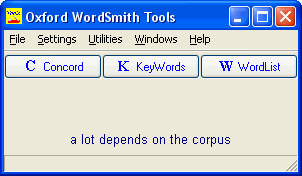
Oxford WordSmith Tools controller Thus it is corpora that are specialized, in the sense that they are restricted to the language of a particular special field, that are of most use to the translator. Such specialized corpora that focus on Language for Special Purposes are sometimes referred to as LSP corpora. DIY specialised corpora Unfortunately very few ready-made LSP corpora are at present available--either for free or commercially--and so translators should be able to compile their own specialized corpora, tailor-made to suit their own requirements. In this respect, a number of translator-trainers have reported on the use of student-compiled "ad hoc" corpora (also referred to as "virtual", "DIY" or "disposable" corpora) in their courses. For example Varantola (2003) describes a workshop experiment conducted at the Department of Translation Studies at the University of Tampere, Finland, using the Web as a resource for comparable corpora. However, her students pointed out that finding relevant corpus material is often difficult and questioned the cost-efficiency of compiling and using ad hoc corpora. Similarly, Zanettin (2002) describes an experiment carried out at the School of Translators of the University of Bologna in Forli in which students were encouraged to tackle translation problems by using DIY corpora compiled from the Web. Although many of the students found their corpora useful for finding information on terminology, phraseology, and collocations, they also noted that searching the web pages, creating the corpus and analysing it with a concordancer was time-consuming. And indeed this is a major problem--the time-investment needed in compiling a corpus is probably excessive in terms of productivity unless the translator foresees doing a large number of similar translations in the future. Most corpus analysis tools prefer the texts they handle to be in plain text format (*.txt), though some can also process texts in other formats, too. However, the first step in compiling your corpus is to find suitable sources on the topic you are interested in, and then convert them to plain text. There are a number of ways to do this. Assignments as corpora If you are a professional translator, it is probable that you receive many of your assignments in electronic format. For example, if you are translating from Finnish to English and vice versa, it is highly likely that you will gradually accumulate a large number of authentic source texts in both English and Finnish in Word format. In this case, it is very easy to create corpora of your source texts by re-saving them in plain text format. If you are a student, you could already initiate this process by encouraging your teachers to provide all your translation assignments as Word documents. My wife, Arja, is a professional translator, and one of her special fields is translating tourist brochures from Finnish into English. I recently compiled a 70,000 word Finnish-language tourism corpus using her source texts. This was done in only a matter of hours, since virtually all of her assignments come in electronic format. This corpus can be used when translating from Finnish into other languages to find out, for example, how common a term is in the source language, and to find contexts which throw some light on its meaning. It can also be used as an aid for translating tourist texts from other languages into Finnish, especially if Finnish is the translator's L2. (For example those students at Savonlinna School of Translation Studies whose L1 is Russian and L2 is Finnish can exploit this corpus when translating tourist brochures from Russian into Finnish). Scanning You can search for printed material, such as books, magazines, brochures and journals, and convert text from them by using a scanner (a device linked to optical character recognition software that allows printed documents to be converted to electronic text; flat-bed scanners look somewhat like a copy machine). Numerous guides on using scanners can be found on the Internet. You could take a look at the following: http://www.aarp.org/learntech/computers/howto/Articles/a2002-07-16-scan.html http://www.ehow.com/how_3668_scanner-capture-text.html However, the disadvantage with using this method is that it is relatively slow in comparison with some other methods. Online literature There are a number of newspapers and magazines available on-line. Some require an annual subscription to access them, some offer articles for sale, while others provide free access. A web page with links to English-language newspapers can be found at: http://www.newspaperwebsites.co.uk/ while a web page with links to English-language magazines can be found at: http://www.uk250.co.uk/Magazine/ The next step is to identify articles that interest you, and then copy and paste them into your Word document using Paste Special → Unformatted Text, and then finally save them as Plain Text. Most professional and academic journals require an annual subscription to access them, or offer articles for sale. However students and staff at academic institutes often have free on-line access to a wide range of journals via their institute's network. Many of the articles in these journals are in PDF format, which can be downloaded and saved using Acrobat Reader. You can select text and copy it into your Word document and finally save it as Plain Text. Using the Office Clipboard to collect passages of text for pasting will speed up this process. Many educational establishments also allow students and staff on-line access to a large number of reference books and encyclopedias, such as the Encyclopedia Britannica, Grove Dictionary of Art, and Grove Dictionary of Music and Musicians, where you can search for relevant articles to include in your corpus. Harvesting the Web The Web provides a vast source of potential material for corpus compilation in addition to the online newspapers, magazines, journals and books mentioned above. The tricky bit is finding relevant and reliable texts to include in your corpus from amongst the billions of web pages. And once you have found suitable texts, "painting" them and copying them into your Word document takes time. In general, the more sophisticated and attractive the websites, the more laborious they are to capture and convert, since the pages are often linked together with a complex system of hyperlinks. As Bowker (2002) states: "...good web design is not conducive to easy corpus building!" Compiling an English-language Tourism Corpus A description of how I compiled a 670,000 word corpus of English-language tourist brochure texts can provide you with some guidelines as to how to compile your own special field corpora. The texts of the Tourism Corpus were mainly derived from tourist brochures that appear on the Internet in PDF format. In many cases, converting these into plain text format was quite easy, though in most cases careful post-editing needed to be done, since headings and titles frequently tended to switch positions. In some cases paragraphs also tended to switch positions, and although this is not a problem when viewing a KWIC display where the size of co-text (the "span") is limited to only four or five words on either side of the search pattern, the paragraph order was corrected to enable users to look at concordance lines in a wider context. I would recommend doing the post-editing while the text is still in Word document (*.doc) format, since it is easier to read when various fonts and colours are still present, and only after editing save as Text files (*.txt). However some brochures, especially those using several columns and complex layouts, were very difficult to convert into text format due to the graphics employed in their design. Very often, the more sophisticated and attractive the brochure, the trickier it was to convert into text format. Lines from one column became mixed up with those from another column or section of the page. In these cases, use was made of FineReader optical character recognition (OCR) scanning software. FineReader can be used to scan and process printed material, but in compiling the Tourism Corpus, FineReader was mainly used for processing PDF files. FineReader first scanned the PDF file and then "read" it, i.e. it recognised blocks of text and images. Whereas converting from Adobe Acrobat into Word format posed problems in the form of mixed-up columns, with FineReader it was possible to determine in which order titles and columns were presented in the plain text version of the brochure. In addition, proofreading seemed to be easier within FineReader, because the text was still in its original layout and the recognised text could be compared with the brochure view. In comparison with converting from Adobe Acrobat into Word format, using FineReader was not notably faster. It could eliminate some of the problems of straight converting, but at the same time one had to be careful with occasional extra spaces within words or missing spaces between two words. However, FineReader's Check Spelling feature was very useful in detecting these problems. Finally, the reasons for using FineReader had much to do with its user-friendliness, which can be an important factor when cleaning large volumes of text in a complicated layout. The corpus could just as well have been compiled by concentrating on the text appearing on the actual web pages of tourism marketing organisations or tourism service providers, since the language usage on web pages is probably the same as that used in brochures, and indeed the texts used in the brochure(s) are sometimes almost identical to those appearing on the website. A further problem with tourist brochures--and indeed text from websites, is that graphics, layout, and typographical features are almost always important parts of the text. When converting brochures to plain text, these non-text-based elements, especially pictures, which may be essential to understanding the text, are lost. A lot depends on the corpus In compiling your corpus you should try to:
Will it pay off? Whatever method you use, compiling your own corpus is a time-consuming process. So if you are a student-translator or professional translator working on a one-off, relatively short special-field translation, it will probably not be worthwhile in terms of productivity to compile a corpus of target-language texts in the field in question to aid you with the translation brief. However, if you have a very large brief amounting to dozens or hundreds of pages, investing time in compiling a comparable target-language corpus might pay off. Moreover, if you are working as an in-house translator for a company engaged in a specific sector, you may be able to cooperate with other translators and pool texts to create a joint corpus. And if, as a professional, you are regularly translating texts belonging to one or several special fields, gradually building up target-language corpora in those fields may well, in the long run, enhance the quality of your work and increase your productivity. References: Bowker,
Lynne (2002). "Working Together: A Collaborative
Approach to DIY Corpora". Paper presented at
the First International Workshop on Language Resources
for Translation Work and Research, Gran Canaria,
28 May 2002. Bowker, Lynne & Pearson, Jennifer (2002). Working with Specialized Language: a practical guide to using corpora. Routledge. Varantola, Krista (2003). "Translators and Disposable Corpora" in Zanettin, F., Bernardini S. and Stewart D.(eds.) Corpora in Translator Education Manchester: St Jerome, pp 55-70. Wilkinson,
Michael (2005). "Using a Specialized Corpus to Improve
Translation Quality", in Translation Journal,
Volume 9, No 3. Wilkinson,
Michael (2005a). "Discovering Translation Equivalents
in a Tourism Corpus by Means of Fuzzy Searching",
in Translation Journal, Volume 9, No 4. Zanettin,
Frederico (2002). "DIY Corpora: The WWW and the
Translator" In Maia, Belinda / Haller, Jonathan
/ Urlrych, Margherita (eds.) Training the Language
Services Provider for the New Millennium, Porto:
Faculdade de Letras, Universidade do Porto, pp 239-248.
E-mail this article to your colleague! Need more translation jobs? Click here! Translation agencies are welcome to register here - Free! Freelance translators are welcome to register here - Free! |
|
|
|
|
|
|
| |||
Legal Disclaimer Site Map |
 In
previous issues of the Translation Journal
(
In
previous issues of the Translation Journal
(